What Is HDMI ARC? ARC and eARC Explained
HDMI ARC lets a TV send its sound back down one HDMI cable to a soundbar or receiver. See how ARC and eARC differ, which formats each carries and how to set up.
- Runtime
- 5 min
- Published
- October 4, 2026
- Channel
- Technology Today
In this piece
- Why ARC exists
- ARC and eARC side by side
- What you need for it to work
- Setting it up
- Common problems and quick fixes
- Is eARC worth choosing a TV for?
- Quick answers
HDMI ARC (Audio Return Channel) is a feature that lets a television send sound out through one of its HDMI ports, so a soundbar or AV receiver can play the audio from the TV's apps, tuner and connected devices over a single cable. eARC (enhanced Audio Return Channel) is the newer version: same idea, far more bandwidth, and support for lossless surround formats that plain ARC cannot carry.
Why ARC exists
An HDMI cable normally moves picture and sound in one direction, from a source such as a games console or disc player towards the screen. That works until the television itself becomes the source. Built-in streaming apps, the built-in antenna tuner and anything plugged straight into the TV all produce sound inside the set, and without ARC that audio has no easy way to reach an external speaker system except through a separate optical or analog lead.
ARC adds a return lane. The cable that runs between the TV and the soundbar still carries pictures towards the screen when needed, but it also carries audio back the other way. One lead replaces two, and in most setups the TV remote can control the soundbar's volume as well.
ARC and eARC side by side
ARC arrived with HDMI version 1.4. eARC came later as part of HDMI 2.1 and was designed to remove the audio ceiling that ARC had. The practical differences look like this:
| ARC | eARC | |
|---|---|---|
| Bandwidth for audio | Limited, similar to an optical connection | Much higher, enough for uncompressed multichannel audio |
| Stereo PCM | Yes | Yes |
| Compressed 5.1 surround | Yes | Yes |
| Uncompressed multichannel PCM | No | Yes, up to eight channels |
| Lossless disc formats | No | Yes |
| Device discovery | Relies on HDMI-CEC being switched on | Has its own handshake, so it is less dependent on CEC |
| Lip-sync correction | Optional and not always used | Part of the specification |
In short, ARC is fine for stereo and the compressed surround tracks used by most broadcast and many streaming services. eARC matters if you play lossless soundtracks from discs or a media server, or want the full multichannel signal from a games console to reach a receiver intact.
What you need for it to work
- The right port on the TV. Only one or two HDMI inputs usually support ARC or eARC. Look for a small label next to the socket; the manual will confirm it if the label is hard to read.
- A matching port on the audio device. On a soundbar it is often marked HDMI OUT (TV ARC) or HDMI OUT (eARC). Connecting to an ordinary HDMI input on the soundbar will not return any sound.
- Both ends for eARC. If either the TV or the soundbar only supports ARC, the link falls back to ARC.
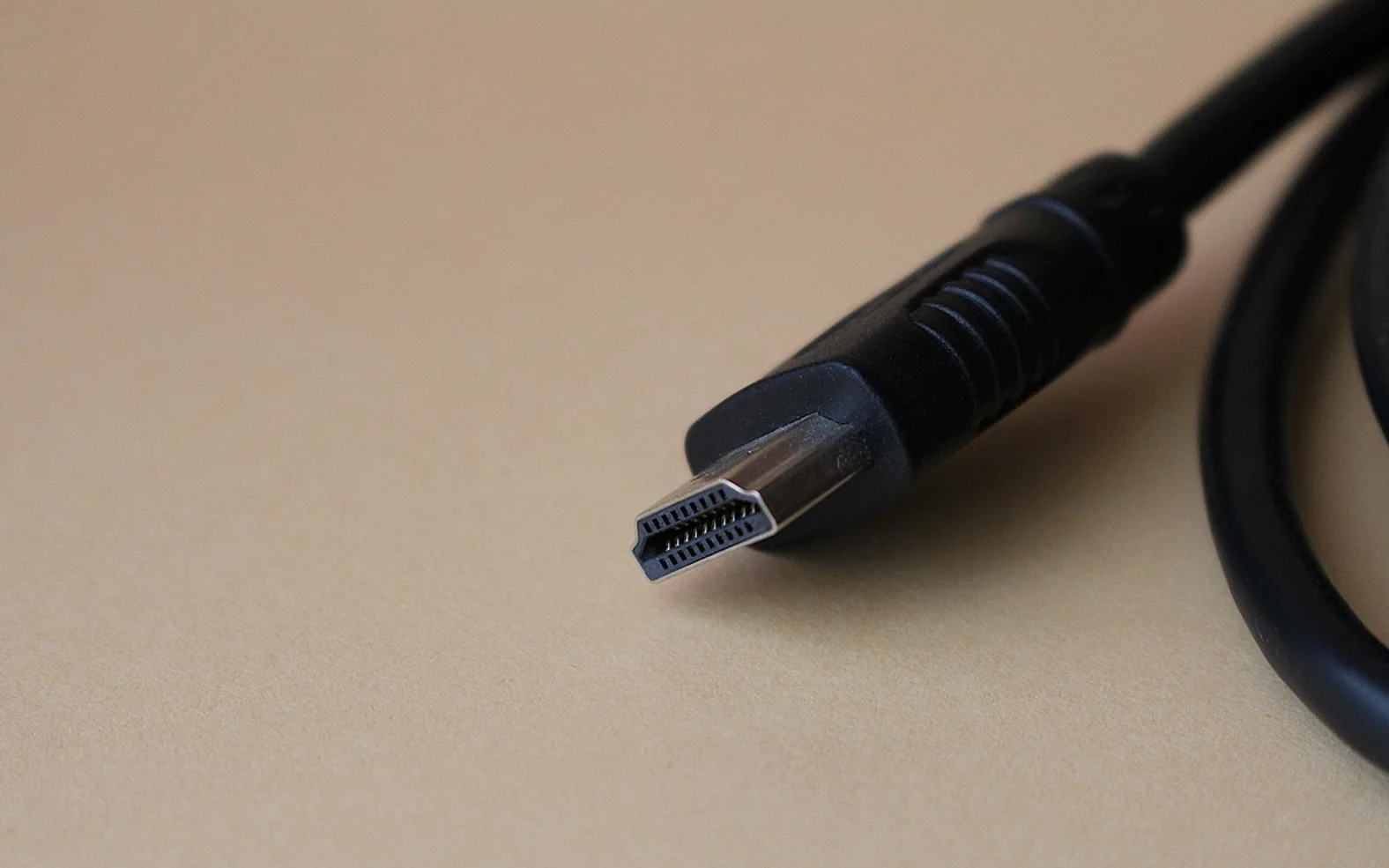
- A suitable cable. ARC works over any standard HDMI cable with the usual wiring. For eARC, a High Speed cable with Ethernet or an Ultra High Speed cable is the safe choice, because eARC uses wires in the cable that very old or bargain leads may not connect properly.
- The control setting switched on. ARC uses HDMI-CEC to let the devices find each other. The explainer on what HDMI-CEC does and where to find it walks through the menu names manufacturers use.
Setting it up
- Connect the TV's ARC or eARC port to the soundbar or receiver's ARC output with the HDMI cable.
- On the TV, switch on the HDMI control option (CEC). Some sets also have a separate eARC toggle in the sound menu.
- Set the TV's sound output to the external device, often listed as HDMI ARC, receiver or audio system.
- Choose the digital audio format. "Auto", "bitstream" or "pass-through" lets the soundbar decode surround tracks; "PCM" converts everything to stereo, which is a useful fallback when a format causes silence.
- Switch the soundbar or receiver to its ARC or TV input and play something with a known surround track to confirm the format indicator lights up.
The full step-by-step, including what to do if your TV has no ARC port at all, is in the guide on connecting a soundbar to a TV.
Common problems and quick fixes
There is no sound through the soundbar
Confirm that the cable is in the labelled ARC port on both devices, then power both off, unplug them from the wall for a minute and turn on the soundbar before the TV. Many "ARC stopped working" reports are a handshake that failed during start-up rather than a real fault.
Sound drops in and out
Try setting the digital output to PCM. If dropouts stop, the issue lies with a particular compressed format. A different cable is the next thing to test, especially for eARC.
The TV remote no longer changes the volume
Volume control over ARC depends on CEC. A firmware update on either device can reset CEC to off, so check that setting again after updates.
Voices are out of step with lips
Look for an audio delay or AV sync option on the soundbar first, then on the TV. Picture processing adds a small delay, and the sound needs to wait for it.
Is eARC worth choosing a TV for?
It depends on what you listen to. If most of your viewing is broadcast TV and streaming through the built-in apps, ARC already carries those soundtracks, and a soundbar's own processing will make a bigger difference than the connection type. If you own a receiver with several speakers, play discs, or connect consoles and set-top boxes to the TV rather than to the receiver, eARC removes a genuine bottleneck. For anyone wiring a computer into the system, the guide to connecting a laptop to a TV covers the video side of the same HDMI chain.
Quick answers
Is ARC the same as optical?
Their audio capability is similar, but ARC adds remote control of volume and power through CEC and uses the HDMI cable you may already have. Optical is a useful substitute on TVs without ARC.
Does an eARC soundbar work with an ARC TV?
Yes. eARC devices are backward compatible, so the pair simply runs as ARC.
Do I need a special "ARC cable"?
No such cable type exists in the HDMI specification. Any standard HDMI cable carries ARC; the cable rating only matters for eARC and high-resolution video.
Before you change anything
A two-minute pre-flight check
Run through these before following any step-by-step guide on a device you rely on.
- I know the exact model of the device and roughly how old it is.
- Important photos and documents exist somewhere other than this device.
- I have the manual or the maker's support page open in another tab.
- The device is plugged in or charged enough to finish the job.
- I have time to finish without rushing, and a way to undo the change.
Habits that pay off
Small routines for calmer gadgets
None of these takes more than a few minutes, and each one heads off a common headache.
Label the HDMI inputs
A strip of tape saying which input belongs to which box ends the evening hunt through sources.
Import photos monthly
Smaller, regular transfers are quicker and easier to check than one huge import a year.
Read update notes
A glance at what an update changes tells you whether it is urgent or can wait for the weekend.
Keep manuals digital
Save the PDF manual for each appliance in one folder, so the answer is always a search away.
HDMI chain check
Tell us what you want on screen and through the speakers. The checker names the cable rating for each link, whether ARC is enough or eARC is needed, and the settings worth switching on.
Cable ratings follow the HDMI certification names printed on the packaging. Device menus, firmware and individual ports differ, so the manual for your TV and soundbar has the last word.